


Words of Wonders: Crossword
4.943.06K Reviews
App Specs
- Version
- 5.9.2
- Updated On
- License
- Free
- Downloads
- 100,000,000+
- Developer
- Fugo Games
- Categories
- Word
- Platform
- Android, iOS
Screenshots
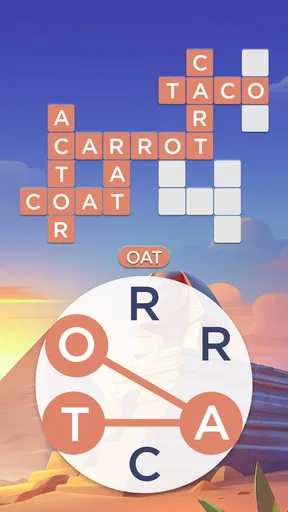
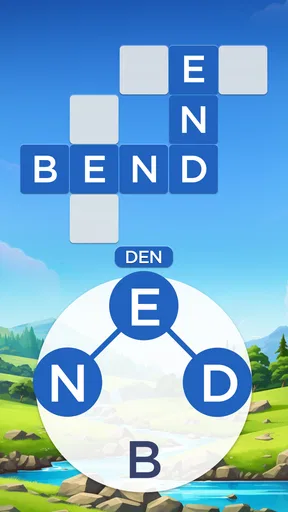
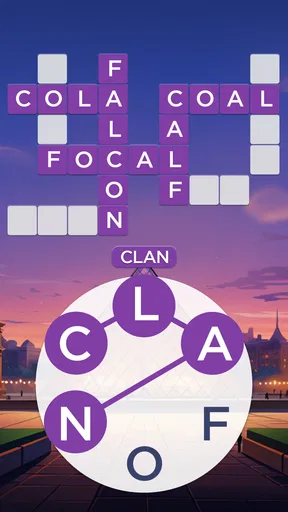
 Analysis by AppCompare
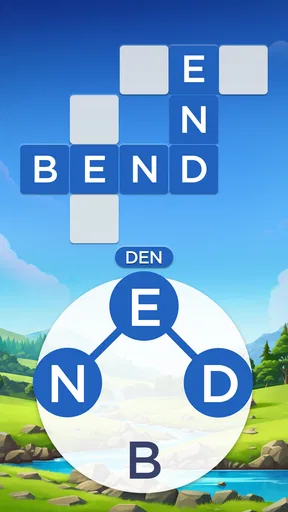
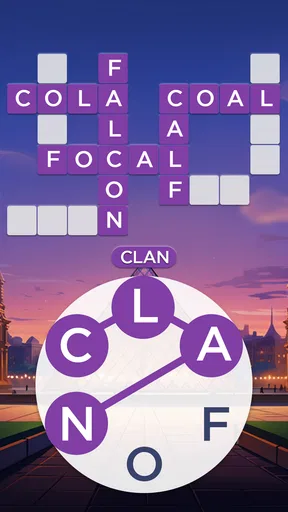
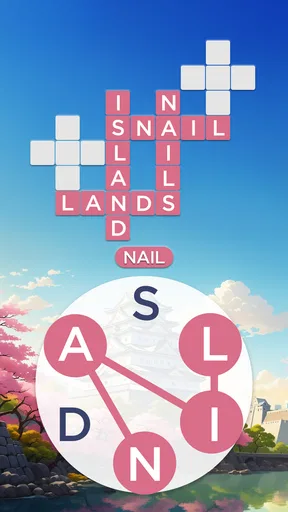
I reach for a letter puzzle when I have a few spare minutes but don’t want to get pulled into a story or a competitive match. Words of Wonders: Crossword suits that mood: it asks me to connect a small set of letters into words and fit them into a crossword, with the journey framed around places around the world. It is a simple premise, but the satisfying part is noticing a word I overlooked and seeing the board fall into place.
A practical rhythm for short sessions
My most useful habit is to begin with the obvious words rather than trying to solve the whole board at once. A short word can reveal crossing letters that make a longer answer easier to spot. When I hit a pause, I look again at the letter group and try a different starting point instead of repeatedly dragging the same sequence. That small reset often works better than guessing in a hurry.
This makes the game easy to fit around ordinary routines. I might open it while waiting for a kettle to boil, play a little during a quiet commute break, or solve a few clues on the sofa before bed. Since there is no time limit, I can leave a difficult word alone and come back to it later. The trade-off is that the game does not create the urgency of a timed challenge; players who enjoy a clock, a head-to-head contest, or a constant stream of pressure may prefer a different kind of word game.
Guides and Analysis on Words of Wonders: Crossword
Who will enjoy the word hunt
I think it works best for people who like anagrams and crossword-style deduction but want a relaxed pace. The letter-linking mechanic is straightforward enough for a casual player, while the crossings give experienced puzzle fans a reason to think beyond the first word that comes to mind. Its world-tour framing also gives each stretch of play a sense of place, rather than presenting every puzzle as a bare grid.
It is less suited to anyone looking for a full crossword with long, written clues, a vocabulary lesson, or a multiplayer competition. This is about finding words from the letters in front of you and using the board to narrow the possibilities. Compared with a conventional crossword, it offers less clue-reading and more word-forming; compared with a fast word-search game, it asks for more deliberate trial and deduction. Knowing that distinction helps set the right expectations before installing it.
A Puzzle Paradise
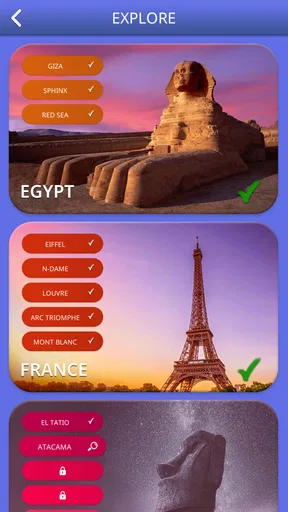
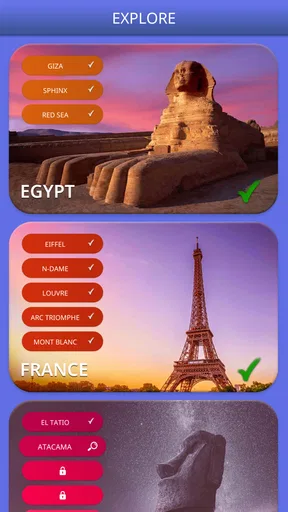
First off, Words of Wonders: Crossword is not just your average word game. It takes you on a virtual tour around the globe, challenging you with crosswords inspired by some of the world's most iconic landmarks. I mean, who wouldn’t want to solve a puzzle while virtually visiting the Eiffel Tower or the Great Wall of China?
The game starts off easy, giving you a chance to warm up your brain cells. But don’t be fooled! As you progress, the levels get trickier, and that's where the fun really begins. I found myself genuinely stumped a couple of times, but nothing beats the satisfaction of finally cracking a tough puzzle.
Worth Reading Before You Choose

Baby Panda World Brings Quick Play to Modern Phones, but Its Game Library Feels Busy

ESPN’s Live Game View Makes Following Close Games Easier

QuizzLand Review: A Good Fit for Short Trivia Breaks, Not Every Player

Basketball Stars: Multiplayer Is Fast, but Can It Recover When Matches Go Wrong?

WEBTOON Turns Phone Updates Into a Better Reading Routine

Link to Windows Runs on Shared Habits, Not Social Feeds
User-Friendly Experience
The interface is super intuitive, which is a big plus for casual gamers like me. You can easily drag letters to form words, and if you're ever stuck, there are hints available to nudge you in the right direction. The game also offers daily challenges, so there's always something new to look forward to.
Another cool feature is that there’s no time limit. So, you can take your sweet time pondering over tricky words without any pressure. Personally, I find it perfect for unwinding after a long day.
The Visuals and Soundtrack
Now, let’s talk about the visuals. The game is visually appealing with vibrant colors and beautifully designed backgrounds. Each landmark is depicted with stunning graphics, making the experience all the more immersive. It's like a mini-vacation for your eyes!
The soundtrack is soothing and complements the gameplay perfectly. It’s calming without being distracting, allowing you to focus on finding those elusive words.
Thinking a few moves ahead
One useful way to approach a stubborn board is to treat it as a set of intersecting clues rather than one long guessing exercise. I scan for letter patterns that could produce several familiar words, then test the shortest plausible answer first. If it fits, the crossings can reduce uncertainty elsewhere; if it does not, I have learned something without spending a hint. This is a repeatable method, not a secret shortcut, and it keeps the puzzle feeling like my own solve.
Hints are best saved for a specific sticking point. I try to identify which empty answer is blocking progress before using one, rather than tapping a hint simply because the board feels slow. That makes the nudge more useful and preserves the pleasure of working out the rest myself. If I am tired or playing in a brief gap, I may choose convenience over a perfect solve, but I treat that as a personal trade-off rather than the only way to play.
Settings and small choices
Before settling into a longer session, I check the sound controls and choose whether I want the soundtrack or a quieter experience. The gentle audio suits a relaxed evening, while muting it makes the game easier to dip into in a waiting room or other shared space. I also pay attention to how much time I actually want to spend: a single board can be a tidy break, whereas continuing from one puzzle to the next can make a short pause stretch out.
The game is free to download, but it includes optional in-app purchases, with individual items ranging from $0.99 to $99.99. I would keep that in mind if I were installing it for a child or if I simply wanted a no-spend pastime. The content rating is Everyone, and the game is developed by Fugo Games. Its current version is 5.3.10, and it requires Android 8.0 or later on Android devices.
What the numbers mean in practice
Words of Wonders is a word game with a 4.9 average from around 6 million ratings, and it has passed 100 million installs. Those figures suggest it has broad appeal, but they do not tell me whether its unhurried, solo puzzle style will match your taste. I would use them as context, then decide based on the actual format: connect letters, complete crossword slots, and work through a landmark-themed progression.
It was released on April 10, 2018, and has around 41,000 written reviews. I find the long-running, familiar format appealing because I can understand the basic loop quickly, but the game is not a substitute for a book of cryptic crosswords or a competitive word duel. If either of those is what you want, a specialist alternative is likely to be a better fit.
When the relaxed format reaches its limit
The calm pace is a genuine strength, but it can also make progress feel repetitive if you prefer each round to introduce a very different rule or type of challenge. The central task remains word-making from a supplied set of letters, so players who want open-ended exploration, complex clue writing, or a social puzzle experience should look elsewhere. I also would not choose it as a focused language-learning tool: encountering words can be enjoyable, but the core loop is solving, not structured instruction.
For a more satisfying session, I avoid treating every empty slot as a reason to use a hint. I make a pass for short answers, use the crossings to check longer possibilities, then take a break if I am merely cycling through guesses. That routine helps me distinguish a genuinely tricky board from a tired mind. It is a modest strategy, but it makes the game feel less like random letter shuffling and more like a series of deductions.
Final Thoughts
I have to say, Words of Wonders: Crossword has become one of my go-to apps for a quick mental escape. It’s a delightful blend of challenge and relaxation, perfect for anyone who loves word games or just wants to unwind with something engaging.
If you're looking for a game that’s both fun and educational, give this one a shot. It’s available for download on both Android and iOS, so no excuses! Happy puzzling!
My verdict after settling into its rhythm
In the end, I see this as an easygoing companion for people who enjoy spotting patterns more than racing a timer. Its landmarks, accessible letter-dragging, hints, and daily challenges give the basic crossword loop enough variety to make short visits appealing. I would recommend it to a friend who wants a calm solo game that can be paused mentally whenever real life interrupts.
I would be more cautious about recommending it to someone who dislikes repeated word-building or expects every puzzle to teach new vocabulary. The free entry makes it easy to try, while optional purchases are worth noticing before handing a device to a child or setting a spending boundary. If you enjoy the specific rhythm of forming words and letting crossings guide you, this is a polished fit; if you want clues, competition, or a sharper challenge curve, choose a game built around those priorities instead.
Pros
- Engaging puzzles boost vocabulary.
- Visually appealing and user-friendly UI.
- Regular updates with new levels.
- Offline play available
- no internet needed.
- Multilingual support enhances learning.
Cons
- Frequent ads can disrupt gameplay.
- Hints are costly
- limiting help options.
- Repetitive themes may bore some users.
- Occasional glitches in level progression.
- Limited customization for aesthetics.
FAQs for Words of Wonders: Crossword
What is Words of Wonders: Crossword?
Words of Wonders: Crossword is an engaging word puzzle game that challenges players to form words using given letters. It combines elements of a crossword puzzle with brain-training exercises, allowing users to enhance their vocabulary while exploring beautiful landmarks from around the world.
How does the gameplay work in Words of Wonders: Crossword?
The gameplay involves connecting letters to form words that fit into a crossword-style grid. As players progress, the puzzles become more challenging, requiring strategic thinking and a broad vocabulary. Each level is themed around a different world wonder, offering a unique visual experience.
Are there any in-app purchases in Words of Wonders: Crossword?
Yes, Words of Wonders: Crossword offers in-app purchases. Players can buy hints to help solve difficult puzzles or purchase ad-free versions. These optional purchases enhance the gaming experience but are not necessary to enjoy the game fully.
Is Words of Wonders: Crossword suitable for all ages?
The game is family-friendly and suitable for all ages. It is designed to be both educational and entertaining, making it a great tool for improving vocabulary and spelling skills for children, while providing a fun challenge for adults as well.
Does Words of Wonders: Crossword require an internet connection?
While an internet connection is not required to play the basic levels, some features like daily challenges and updates may need connectivity. Playing offline is possible, but being connected offers a more enriched experience with additional content and features.


